Private beta · iPhone

Help test Departures
Public transport, with live times that keep working with no signal. It isn't in the App Store yet, so it installs through Apple's free TestFlight app.
Install TestFlight
Apple's beta installer. It's only the installer, not Departures.
Get TestFlightThen get Departures
Tap this once TestFlight is installed. It opens TestFlight, where you tap Install (or Accept, then Install).
Get DeparturesFind it later in the TestFlight app, not the App Store. Updates arrive there too.
What I'd like you to do
Use it for your real trips
A week or two of normal use is perfect. Tell me what's wrong, confusing or slow.
-
Save your tripsAdd the trips you actually take and check the services are the ones you'd catch.
-
Use it as you leaveAre the countdowns and platforms right? Does a delay or cancellation show up?
-
Go offlineAirplane mode or underground. It should still list departures.
-
Plan a changeTry a trip that needs a change and see if the journey makes sense.
-
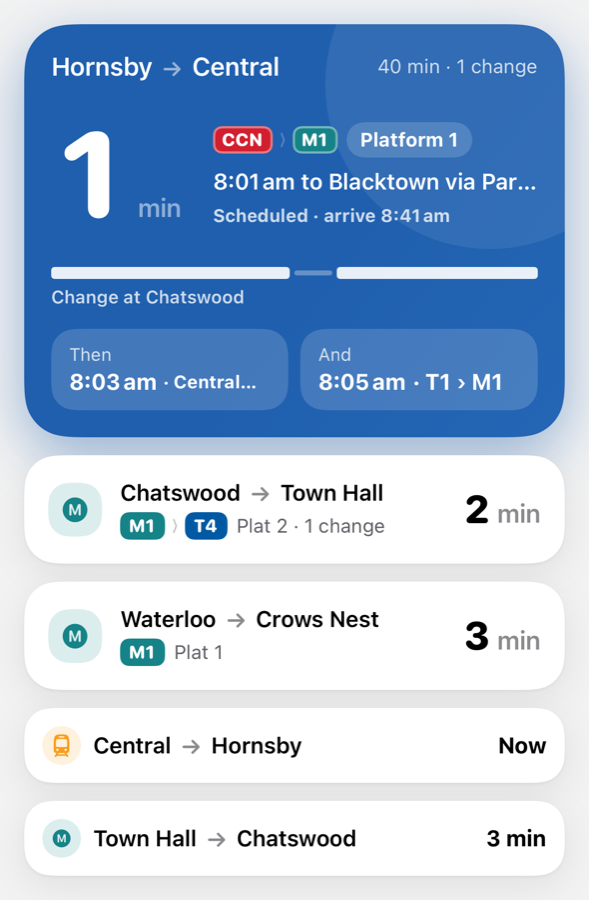
Try the extrasThe home screen widget, and the Lock Screen countdown when you start a trip.
How to tell me
In TestFlight, tap Departures, then Send Beta Feedback. It attaches a screenshot. Wrong times, confusing wording, things that feel slow, ideas: all useful.
Free in betaDepartures Plus is free while testing, so nothing asks you to pay. Feedback on the paywall wording is welcome too.
Something wrong? Email [email protected].